

Validation and CSV/CSA
Change control answers what changed and whether it was verified. Validation answers whether the project is configured as intended right now, verified and validated, and provable as of any date. That second axis lives on the Validation page of the project’s configuration settings, anchored on the configuration versions promotion produces.
The verification matrix at every promotion
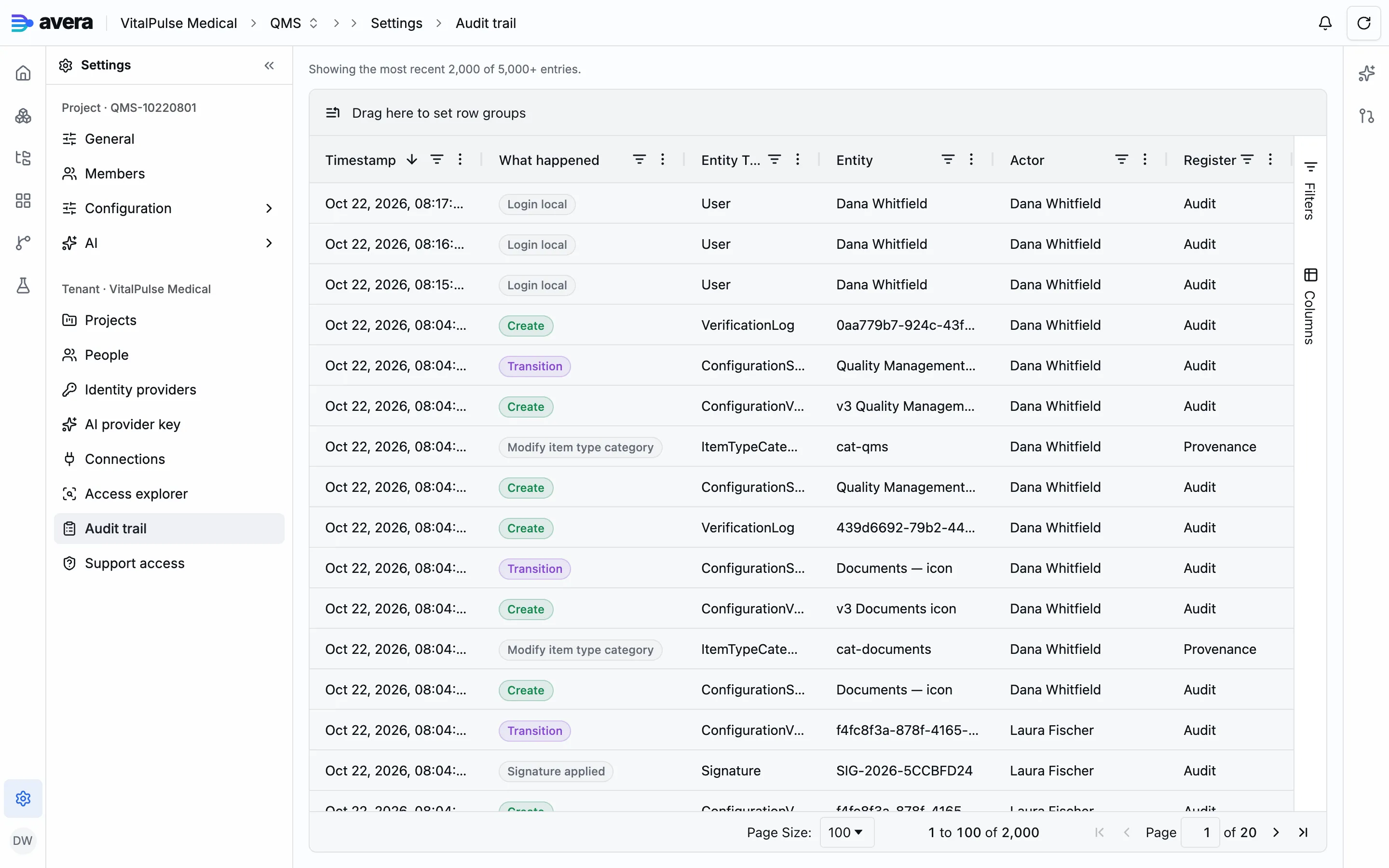
Section titled “The verification matrix at every promotion”Every promotion records a whole-baseline verification matrix beside the change-level verification log: every registered check evaluated against the entire resolved configuration of that version, passes included, each with its status, the object evaluated and a detail line. It also carries the fingerprint of the rule set that produced it, so which checks ran is part of the record.
Most checks read only the stored configuration snapshot, which makes an old baseline re-verifiable. One reads live data: data conformance compares the item values your project holds against the schema the snapshot declares, so a value left behind by a deferred migration surfaces as a finding that drills down to the items holding it, per branch.
Re-verifying a baseline
Section titled “Re-verifying a baseline”You can re-run verification for any baseline on demand, from its stored snapshot. The result is two matrices side by side:
| As of then | Current rules | |
|---|---|---|
| Configuration read | the version’s stored snapshot | the same stored snapshot |
| Checks run | the catalog as it stood at promotion | today’s catalog |
| Findings | returned exactly as stored | standing acknowledgments overlaid, so an accepted finding reads Accepted |
| What it tells you | what was verified when the version went live | what today’s checks have to say about it |
When the check catalog has moved since that promotion, the result says so. The current-rules matrix is then a gap analysis, not a regression: a check added after the baseline was promoted tells you something new about an old configuration, not that it degraded. The as-of-then matrix never changes.
Accepting a finding you knowingly carry
Section titled “Accepting a finding you knowingly carry”A warning or failure a project carries deliberately is recorded in the finding acknowledgment register: from the finding’s detail you accept it as known debt, or record it as mitigated by a compensating control, with a rationale either way. One decision covers one check against one target, and applies to whichever baseline shows it.
The matrix row then reads Accepted, counted apart from open warnings and failures, with who decided and why. The finding stays recorded at its own severity: accepting it does not downgrade it.
An acknowledgment stands until the finding changes: when re-verification produces a different text or severity for that check and target, the row reads open again with the stale decision beside it, and you decide again on what it now says. Withdrawing one reopens the finding. Only project administrators decide, the register is append-only, and every decision is an audit entry.
The validation statement
Section titled “The validation statement”A validation statement is the baseline-level sign-off that a configuration version is fit for its intended use. You issue one with an intended-use scope, optionally a protocol reference, a rationale and the validation requirement items it is validated against. It is issued provisional.
Validating it is the second step, with an optional electronic signature over the version’s configuration hash rather than a rendering of it. Retiring records that the sign-off was withdrawn or superseded, and can name the version superseding it. At most one statement is active per configuration version.
| State | What it says | What it does |
|---|---|---|
| Provisional | the statement is issued, with its scope and the requirements it cites | the baseline does not count as validated |
| Validated | a named person signed off, with an electronic signature over the configuration hash when you sign | the baseline can become the validated one |
| Retired | the sign-off was withdrawn or superseded | the version counts as unvalidated again |
The validated baseline and drift
Section titled “The validated baseline and drift”Which baseline is the validated one is derived, not stored: the highest-numbered configuration version carrying a validated, non-retired statement.
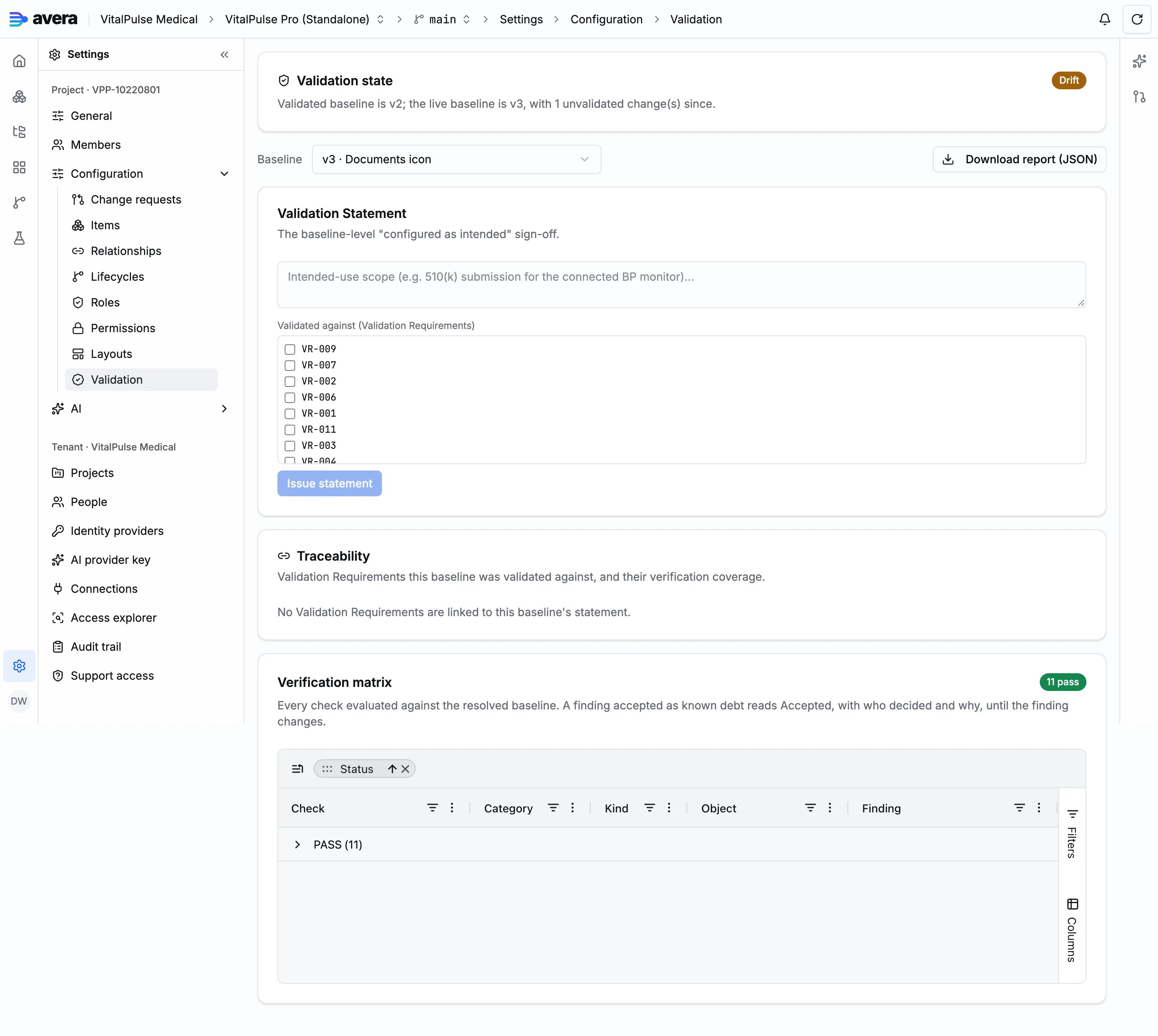
The page tells you whether the live configuration is that baseline. If not, the difference is drift: the configuration changes promoted since, listed individually with their type, dimension and target. Each promotion moves the drift count.
Traceability to validation requirements
Section titled “Traceability to validation requirements”For a baseline whose active statement names validation requirement items, the page shows each with its verification coverage: the items linked to it and the relationship type that reached them, or a gap when nothing covers it.
Which item types play the requirement and test roles is per project, set under General settings; Avera hard-wires no slug of its own. Until they are set, the requirement picker on the statement has nothing to list.
The validation summary report
Section titled “The validation summary report”The validation summary report is the machine-readable form of everything above, for one baseline, as JSON. Ask for it by baseline, or as of an instant, which resolves the latest baseline at that time.
It carries the platform validation reference, the configuration snapshot, both verification matrices, the standing finding acknowledgments, the validation statement, the standing validation decisions, the validation state with its drift and the traceability matrix.
A worked example
Section titled “A worked example”Validating the VitalPulse Pro project’s configuration, then drifting it with one promotion.
- On the Validation page, choose the baseline in the Baseline list: v2, “Clinical rationale on design inputs”, the version the change request example produced. Validation state reads Not validated.
- In the Validation Statement card, write the intended-use scope: the project configuration as imported, its item types, lifecycles and permission cells, layouts and formulas.
- Tick the validation requirements the baseline is validated against: VitalPulse Pro carries eleven, VR-001 to VR-011. Choose Issue statement, and it appears Provisional.
- Choose Validate. In the Validate baseline dialog, keep or edit the meaning of signature, enter your signing PIN, and choose Sign & validate; Record without signature validates it unsigned instead.
- The statement reads Validated, e-signed and dated, and so does Validation state. Traceability lists all eleven requirements with the test cases covering them, VR-001 by TC-022, or a gap where none is linked yet.
- Promote one further change, a new icon for the Documents item type category, as configuration version “Documents icon”. Validation state now reads Drift, with v2 validated, v3 live and one unvalidated change since. Download report (JSON) carries that change with its type, dimension and target.