

Lifecycles and transitions
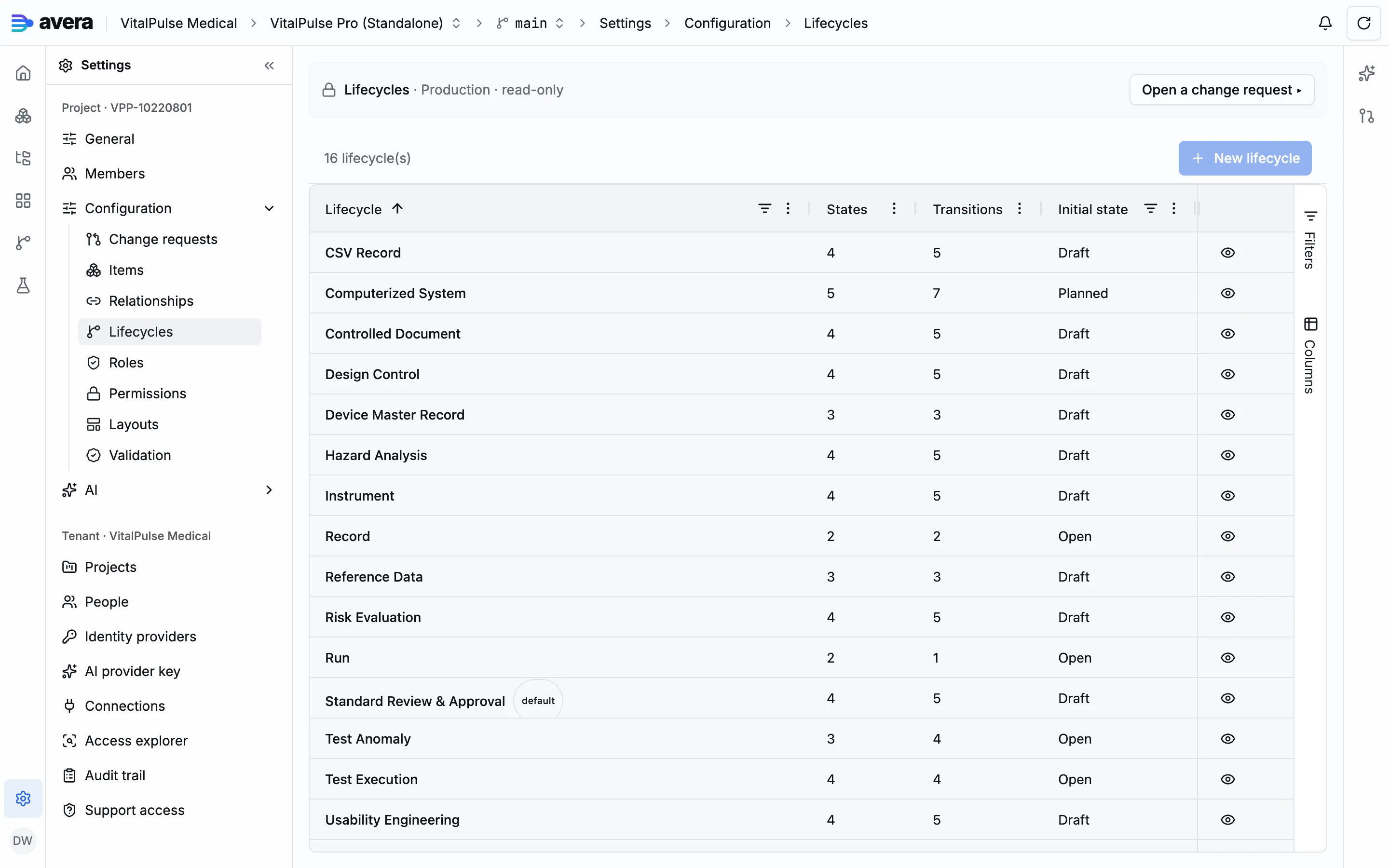
A lifecycle is the state machine an item type follows: states, the transitions between them, and the obligations each transition carries. An item moves only along the transitions its lifecycle declares, and the state it sits in decides who may edit it and move it on. Lifecycle changes are project configuration, staged into a change request and applied at promotion.
States and transitions
Section titled “States and transitions”A state carries a name, a colour and a display order, plus one category: draft, review, released or obsolete. The category, not the name, drives behaviour: a draft state is editable, a released state is immutable, and the move from draft into review freezes the derived values a signature will cover. You can declare several states in one category: an engineering review and a quality review.
A transition names one source state and one target state, and carries its own presentation: the label, colour and icon of the button people press, and its order among the other moves. The item page renders the available moves from these declarations.
A new lifecycle is created by cloning an existing one, which carries the template’s states, transitions and cells onto fresh identities. Within it you add, edit and delete states and transitions. Creating a state offers to copy the grants of any state of any lifecycle. Coherence is checked at promotion rather than as you work: a state no transition reaches, a non-final state with no way out, and a transition whose endpoint was deleted each block the request.
The initial state
Section titled “The initial state”One state of each lifecycle is its initial state, where new items of a bound type are born. You can re-point it; a change request leaving a lifecycle without one is refused at promotion.
Binding a lifecycle to item types
Section titled “Binding a lifecycle to item types”An item type names the lifecycle that governs it; a type that names none falls back to the project’s default. The binding is edited on the item type, alongside the rest of the meta-model.
A type inherits the permission cells authored on its lifecycle’s states and transitions, so two types sharing a lifecycle share its access, and a type needing a restricted field sits on a lifecycle of its own. See People, roles and access.
What a transition can require
Section titled “What a transition can require”Obligations compose by conjunction: each one you add must hold.
| Obligation | What it requires | Control |
|---|---|---|
| Electronic signature | The person firing it signs with their signing PIN | Requires electronic signature |
| Separation of duties | The item’s creator may not fire it | Separation of duties |
| Endorsement slots | A current verdict in every slot. A slot names a role, a person, or an attribute of the item that resolves to a person, and can require a signature with its verdict | Endorsements |
| Distinct endorsers | A minimum number of different people across the filled slots, so one person wearing two hats cannot satisfy both | Distinct endorsers |
| A comment | Text from the person firing it, optionally at a minimum length | Require a comment |
| Confirmation | A confirmation step, with a message of your own | Require explicit confirmation |
| Validation rules | A platform check from the closed set below | Declared by the configuration package, not edited here |
Every control except the last sits on the transition’s own policy, opened from the lifecycle’s Transitions tab.
An endorsement’s status is derived rather than stored: a newer item version, or a newer response recorded on the item, supersedes the earlier verdicts. Verdicts inform rather than fire: the person firing sees them, including a disapproval, and decides.
Who may fire a transition
Section titled “Who may fire a transition”Firing is itself a permission, held in the permission register rather than on the transition and granted as a cell scoped to it, on the Permissions page. A transition no cell covers only warns on the change request.
Validation rules
Section titled “Validation rules”Validation rules are evaluated when a transition fires, ahead of the endorsement check. A rule can refuse the move with a message naming what is missing, and can freeze a derived value onto the version the move creates. The kinds are a closed set: complete a test execution only when every prompt holds a response, close a run only when every execution under it has finished or been voided, move a document only when every member is placed in its body or is itself released.
Deleting states and lifecycles
Section titled “Deleting states and lifecycles”A lifecycle can be removed only while no item type is bound to it, and the project’s default cannot be removed at all; an occupied state blocks a lifecycle’s deletion as it blocks the state’s own. Deleting a state or a transition also stages the deletion of every permission cell coordinated to it.
A worked example
Section titled “A worked example”Giving the verification lifecycle an On hold state, so a verification waiting on equipment says so instead of sitting in review. The demo environment stages and promotes it.
- Under Configuration, open Change requests and press New change request, naming it for example
Verification & Validation: on hold. - Open Configuration → Lifecycles inside that change request, and on the Verification & Validation row choose Edit states & transitions.
- On the States tab press New state. Name it
On hold, set Category to Review and Type to Intermediate, pick a colour, and give it an Order that places it after In Review. - In the same dialog set Copy grants from to In Review, the state On hold pauses. The dialog reports how many grants it will stage. Press Stage state.
- On the Transitions tab press New transition twice:
Put on hold, From In Review To On hold; thenResume, From On hold To In Review. Each is staged with Stage transition. - On the Permissions page, Transitions tab, grant the roles that may use the two new moves.
- Back on the change request, work through the findings until it reads Ready to promote, then press Promote…, name the new configuration version and confirm. Put on hold then appears on verification items in In Review.