

SSO connections
Avera federates customer identity itself, over OIDC. You register a connection to your identity provider, Avera acts as the relying party, and sign-in for the email domains you claim then goes through your provider.
What you configure on a connection
Section titled “What you configure on a connection”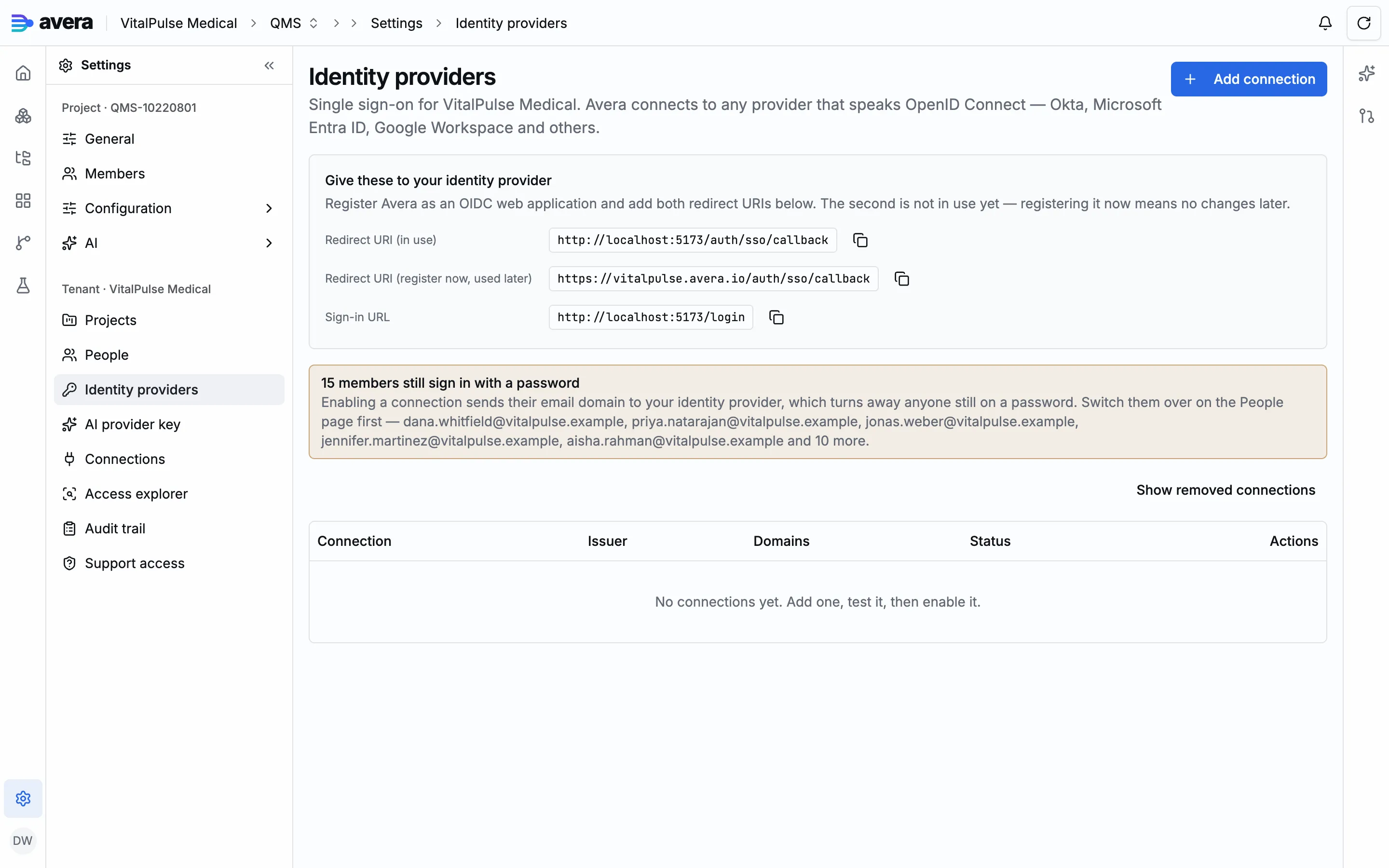
- Issuer. The provider’s OpenID issuer URL. Avera reads its discovery document to find the authorization, token, userinfo and key endpoints, and you can preview that document before saving anything, catching a mistyped issuer that still resolves.
- Client id and client secret. From the application you create on your provider’s side. The secret is stored encrypted and never leaves the backend; the administration surface knows only whether one is set, and you can replace it in place, keeping the connection’s identity and routing.
- Allowed email domains. The domains this connection admits, and that route to it at sign-in: the admission gate, so not optional.
- Required claims. Claims that must be present with the stated value, verified against the userinfo response, which is how you require membership of a directory rather than trusting an email suffix.
- Extra authorization parameters. Parameters appended to the authorization request, for example a domain hint. These are advisory, since your provider may ignore them, so pair any hint with the matching required claim.
- Scopes and a display name.
Three checks gate every login, all on the server: the discovery document’s issuer must match the one you configured and the token’s issuer, the token’s audience must contain this connection’s client id, and the verified email must fall inside the allowed domains. Required claims are checked on top.
Your provider’s administrator needs the sign-in URL and both redirect URIs from Avera: OAuth matches the redirect exactly, so registering only today’s host means re-registering later.
Testing a connection before you enable it
Section titled “Testing a connection before you enable it”Start a test and Avera returns an authorization URL for a popup; signing in through your provider reports whether the round trip succeeded, with the email, display name and subject it asserted.
Enabling a connection
Section titled “Enabling a connection”Enabling makes the sign-in page route every address in the connection’s allowed domains to your provider, and there is no password field for those addresses afterwards.
Avera lists the members who still sign in with a password, with the connection that would admit each, and each can be converted onto the connection. An enable is refused when the administrator performing it is themselves still on a password, the case that locks the keyholder out of their own tenant.
What a federated person arrives with
Section titled “What a federated person arrives with”A person whose verified email falls in an enabled connection’s allowed domains gets an account and a participation in that connection’s tenant with no roles: they can sign in, reach nothing, and appear in the tenant’s people list until an administrator grants access. See People, roles and access.
Disabling versus removing
Section titled “Disabling versus removing”| Disable | Remove | |
|---|---|---|
| Routing | Stops | Stops |
| Client secret | Kept | Destroyed |
| Reversible | Yes, by enabling again | No, register a new connection |
| Status shown | Disabled | Removed |
| Offered on | An enabled connection | A disabled connection only |
| Refused when | Never | Members still sign in through it |
Removing archives the connection rather than deleting it, because the audit trail labels past events with the connection they happened through, and those labels have to keep resolving. It is refused while members still sign in through the connection, so make a second enabled connection cover the domain first.
Local accounts and passwords
Section titled “Local accounts and passwords”A person holds exactly one authentication method, so someone on an SSO connection cannot sign in with a password. There is no fallback by design: a retained password is a credential your provider never issued and cannot revoke, and a failed sign-in does not distinguish a provider outage from a provider’s refusal, so a fallback would turn your most important “no” into a login.
Local accounts stay available: external collaborators cannot arrive by domain match, since their email domain belongs to their own employer, and a tenant whose connection is misconfigured still needs a way in.
Avera sends no email, so password handling is administrator-attended: an administrator creates a local member with an initial password and hands it over, and resets a forgotten password the same way, which is password recovery in full. Setting a password is refused for a member on SSO.
For the API’s own authentication, see Authentication and basics.
A worked example
Section titled “A worked example”Connecting one provider, from registration to the first person who arrives through it. Connections live under Identity providers in settings.
- Press Add connection. Choose your provider under Provider, which prefills an issuer template plus the extra parameters and required claims it usually needs, and give the connection a Name.
- Paste the Issuer URL and press Check: the endpoints found at that issuer are shown.
- Fill in Client ID and Client secret, list the domains this connection admits under Email domains, and add any membership claim under Required claims. Press Add connection to save it. It starts disabled.
- Give your provider’s administrator the sign-in URL and every redirect URI listed under “Give these to your identity provider”, and have them all registered.
- Press Test on the connection’s row and sign in through your provider in the popup.
- Press Enable, then switch any remaining password users over with Switch to SSO on the People page.
- Someone whose verified email matches one of those domains signs in through your provider and waits in the People list for a grant.