

The meta-model
Avera has no hardcoded domain objects. A requirement, a risk, a part and a test are all items, and which kinds exist is configuration you own. None of it is edited live: every creation, edit and deletion is staged into a change request and applies at promotion. See configuration changes.
Item types
Section titled “Item types”An item type is the template its items are created from, with a name and a slug that packages, formulas, layouts and the API refer to it by. Four properties do the work:
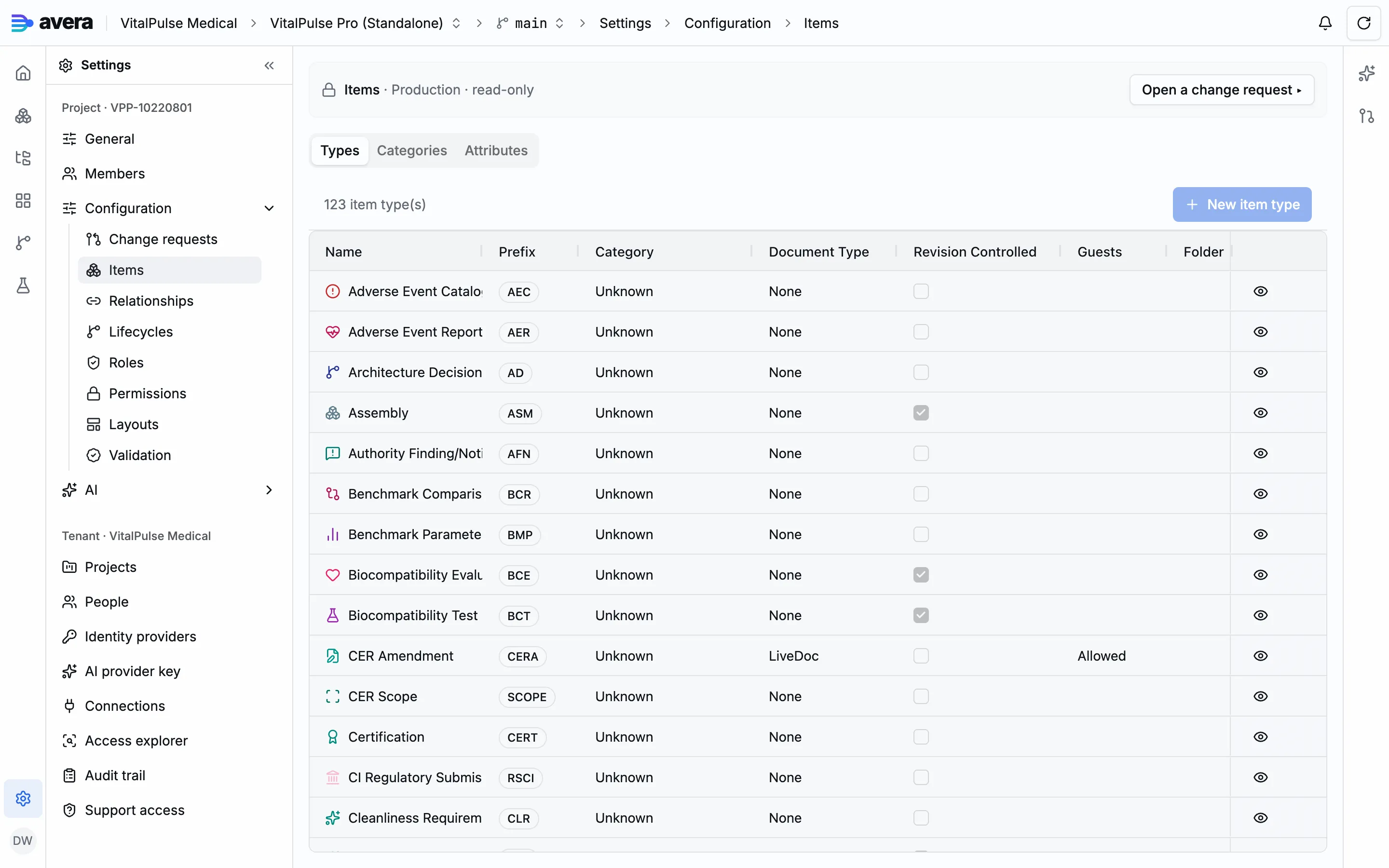
- The number prefix. Items are numbered from it, as in
DI-001, on a per-project sequence that never reissues a number. - The category. The group it sits in.
- The lifecycle. The states its items move through, the gates on each transition, and, through its permission cells, who may act in each state. See lifecycles and people and access.
- Revisionable. Whether items carry a revision, the approved change level minted at release: a part, a specification or a procedure is released at a revision, requirements and software items by seq and baseline alone.
A type may also carry document content, a file or a body edited inside Avera. Deleting one is a soft delete: its items keep rendering, and re-creating the slug revives the type.
Attribute definitions and their assignments
Section titled “Attribute definitions and their assignments”An attribute definition is project-wide; assigning it to an item type is a separate decision carrying the per-type settings.
| Level | What it carries |
|---|---|
| The definition, shared by the whole project | a slug, a name and label, a description, a value type, a uniqueness flag, validation, and for an enumeration its values and their optional numeric ranks |
| The assignment to one item type | display order, required, a default value, read-only, and restricted |
Writing a restricted field also needs a permission cell naming it.
Editing a definition reaches every type that uses it. Avera reports which types use each attribute, and the impact preview counts the items holding a value on your branch. A deleted definition is kept, so a value captured before it still renders, retired and read-only.
Value types
Section titled “Value types”The value type decides the form’s editor, how a grid cell is edited, how the value sorts and exports and what a formula can read.
| Data type | What the form renders |
|---|---|
| String, Text (Multi-line) | one line of text, or a text area |
| Integer, Decimal | a number field |
| Boolean | a checkbox |
| Date, Date & Time | a date field, with a time part for the second |
| Enum (Dropdown) | a dropdown of the definition’s values |
| User Reference, Role Reference | a picker over tenant participation, or over the project’s roles |
| JSON | a text area for structured JSON |
| Prompt List | an instrument’s ordered prompts, in their own editor |
An enumeration’s values may each carry a numeric rank, read by ISO 14971-style scoring and ordering a matrix widget’s axes.
Calculated attributes
Section titled “Calculated attributes”An attribute is calculated when its definition carries an expression. There is no separate calculated type: the declared value type stays, so a calculated integer sorts, renders, exports and freezes like an authored one. The attributes it reads are derived from the expression.
The kind is computed at verification, per assignment, so one definition can differ between types:
| Kind | Reads | Behaviour |
|---|---|---|
| Exact | only the item’s own attributes | computed in the writing transaction, never stale, usable in filters |
| Maintained | other items | discarded whenever a write could falsify it, recomputed on read |
| On demand | whatever the expression selects as it evaluates | never cached, not usable in filters |
Verification blocks on an unresolvable reference, a cycle, an incompatible type or a failed classification, and an attribute with values in history may neither gain nor lose its expression.
A calculated value is never authored: the server refuses a write. When an item leaves draft each calculated attribute is evaluated into that version, where the signature hash covers it; rejecting or revising strips the frozen values.
Relationship types
Section titled “Relationship types”A relationship type is what a trace link is an instance of: a slug, a name, and forward and reverse labels, so a link reads “verified by” one way and “verifies” the other.
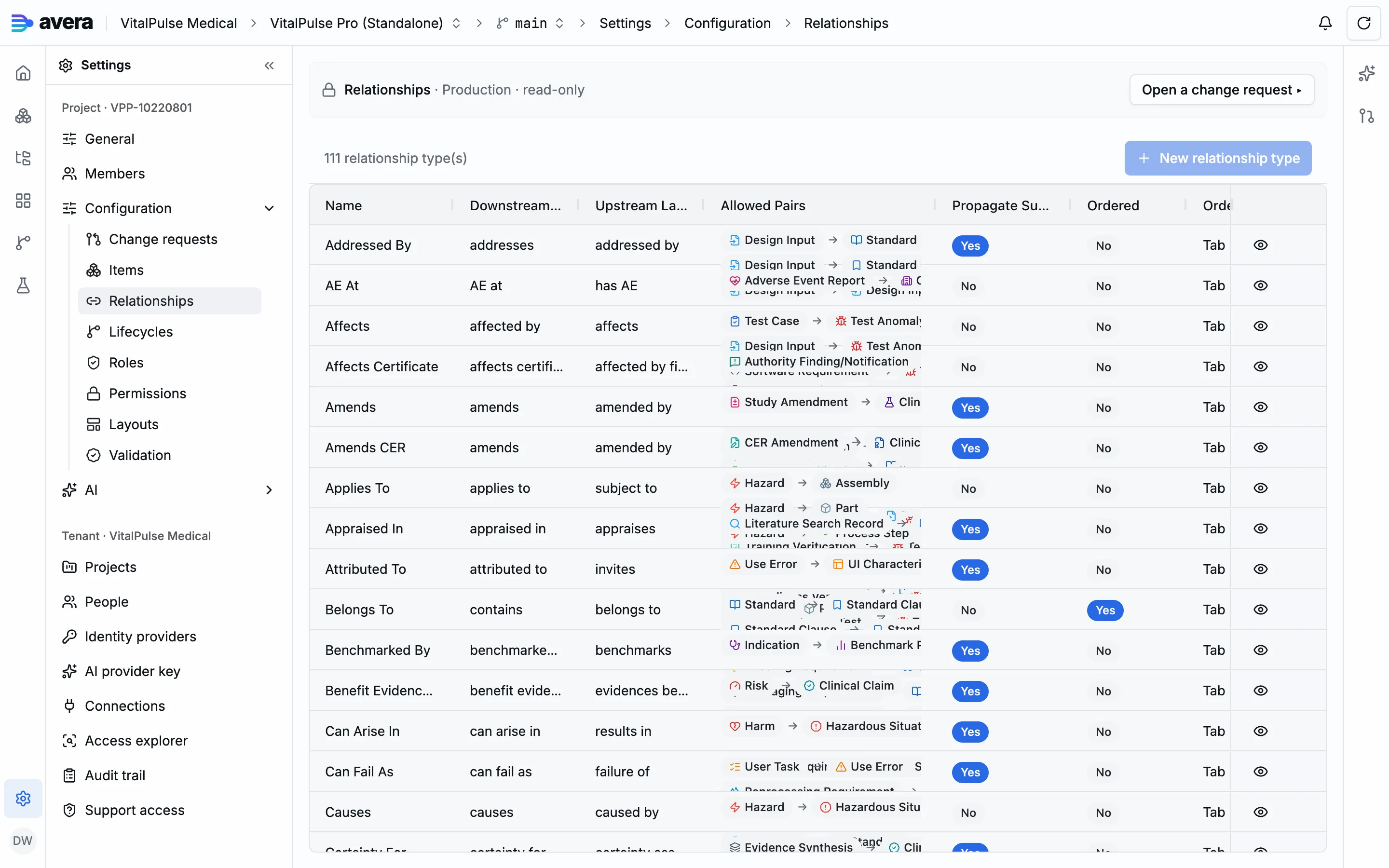
Its endpoints are an ordered list of explicit allowed pairs, each directed from an upstream item type to a downstream one; a link is legal only when that exact pair appears, and there is no wildcard endpoint. Upstream is where the trace flows from: a link becomes suspect when its upstream moves after the link was verified.
A type may be ordered: one item’s links of that type carry a total order, every read returns them in it, and a grid of those rows reorders by dragging (see layouts). Where a document body owns the membership, the order comes from the body.
Item type categories
Section titled “Item type categories”A category is a slug, a name and an icon, and each item type names the one it belongs to. Deleting one unbinds the types that name it, and the impact preview lists which ones first.
A worked example
Section titled “A worked example”One attribute on one item type, from the demo project’s configuration history.
- Under Configuration, open a change request named for the change, such as “Design input, clinical rationale”.
- Open Items, go to its Attributes tab and choose New attribute. Give it the ID
clinical-rationale, the nameclinical-rationale, the labelClinical rationale, a description and the data type Text (Multi-line). Leave Calculated and Unique off. - Go to the Types tab, open Design Input and its Attributes tab. Find Clinical rationale under Available Attributes and choose Add. Leave Required, Read-only and Restricted unchecked, drag the row to its display order, and Save Changes.
- Open the change request: two staged changes, the definition and its assignment. Record the validation decisions the analysis asks for and promote with a version name.
- A design input now carries the field: in display order where the type renders its derived default, among the unplaced fields where a layout is stored, until the layout places it. See Page layouts.
If the attribute is calculated
Section titled “If the attribute is calculated”A calculated attribute is the same two steps, with the expression written on the definition in step 2, Calculated on. The demo project’s risk type carries two, risk-before and risk-after: each reads the highest harm severity rank reached through the hazardous situation the risk evaluates, adds the risk’s own occurrence rank, and answers Acceptable below a fixed sum. Reading other items makes its kind maintained.