

Layouts and hubs
A layout says how a page is arranged, and the arrangement is configuration, not code.
A layout and its subject
Section titled “A layout and its subject”A layout’s subject is an item type or a hub key. Its sections sit inline in order or on tab groups, each becoming a tab after the item page’s fixed tabs. There are three kinds:
| Kind | What it declares | On |
|---|---|---|
| Fields | the attributes it places, with their order, label overrides and column spans | item types only |
| Grid | an anchor, the hops to walk from it, the columns, and what its toolbar adds | item types and hubs |
| Widget | a catalog id and the parameters that widget’s dialog authors | item types and hubs |
Fields sections
Section titled “Fields sections”A fields section lays its attributes out in one to three columns. An attribute it does not place still renders, among the unplaced fields the editor lists for placing.
Grid sections
Section titled “Grid sections”A grid section is a table of related items: on an item page its anchor is the page’s own item, never a row; on a hub it declares its own anchor, the items of one type or a structure the reader roots.
It walks hops, each a relationship type and a direction; a level may be recursive to a bound. Columns are attribute, relationship or lookup columns, the last walking its own path of hops to read an attribute the far end carries, read-only.
Cells edit in place and save as one commit per gesture, and a section may declare what its toolbar adds, offered only where the relationship type’s allowed pairs permit.
Where the hop’s relationship type is ordered, rows read in their order, carry a number column, reorder by dragging and are never sorted. A read-only section leaves no cell editable and nothing to add.
Widgets
Section titled “Widgets”Widgets are first-party components a layout places by id, from a fixed catalog of three.
| Widget | What it shows |
|---|---|
Risk matrix, enum-matrix |
the items of a source plotted over two ranked enumeration attributes, in one or more views, each with its own column attribute and an optional partition naming the attribute holding a verdict |
KPI cards, kpi-cards |
a count of a source and, optionally, parts of it: items holding a value, having a link over a hop, or carrying a suspect link, one part optionally as progress over the whole |
Coverage, coverage |
what must be covered, the hop to what covers it, an optional second hop and a verdict attribute, each gap named |
A matrix lists an unranked value as unplotted, and a cell’s colour comes from its items’ verdicts, never a threshold in the layout. Widgets resolve live on the branch of the request; one naming something the configuration no longer carries says so in place.
When no layout is stored
Section titled “When no layout is stored”An item type with no stored layout renders a derived default, built from the meta-model on every read: one fields section, title first then display order, with the fixed tabs. A hub has no derived default.
Choosing between several layouts
Section titled “Choosing between several layouts”When a subject has several stored layouts, the read takes what the page is doing, creating, editing or viewing, the item’s lifecycle state, and the caller’s roles, resolved on the server and never claimed by the client. The most narrowed layout admitting the read wins, then the highest priority, then the default mark; if none admits it, the derived default renders. Two layouts that apply exactly alike are refused when staged.
What a layout cannot do
Section titled “What a layout cannot do”A layout may hide a field or make it required. It can never grant access, nor lock a field that is otherwise editable: entitlement is the permission cells alone. A hidden field is hidden, not deleted: its value stays on the item.
A hub layout is mounted on its own route, and a project’s hubs are the hub layouts it has stored, so a package that ships one enables that hub in every project importing it.
A hub’s sections all sit on tabs, and it has no fields section. Its widgets resolve with no context item. The risk management hub is such a layout.
Editing a layout
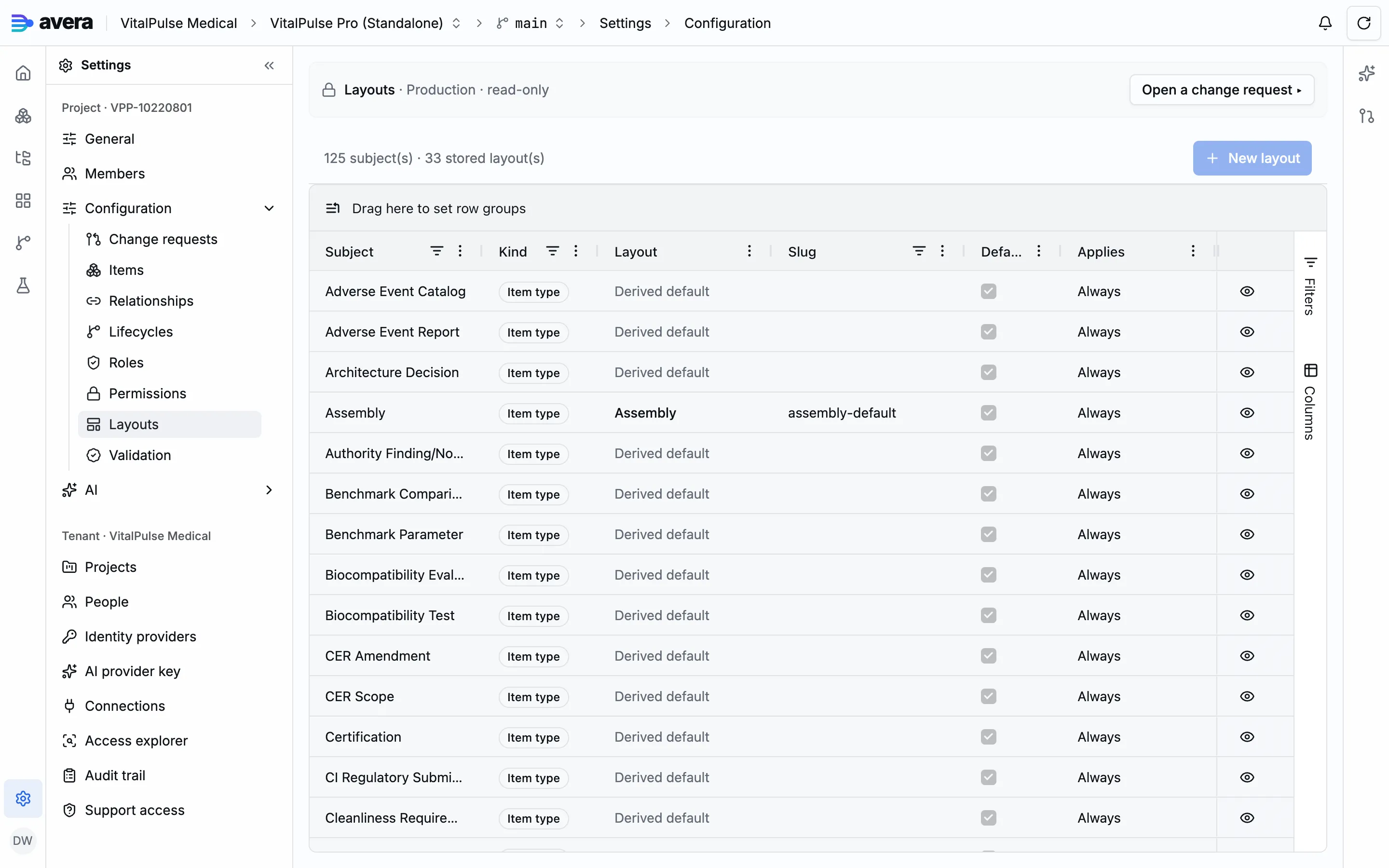
Section titled “Editing a layout”The Layouts entry of Configuration lists every item type with the layout it renders, stored or derived, and every hub with a stored layout; browsing live configuration is read-only.
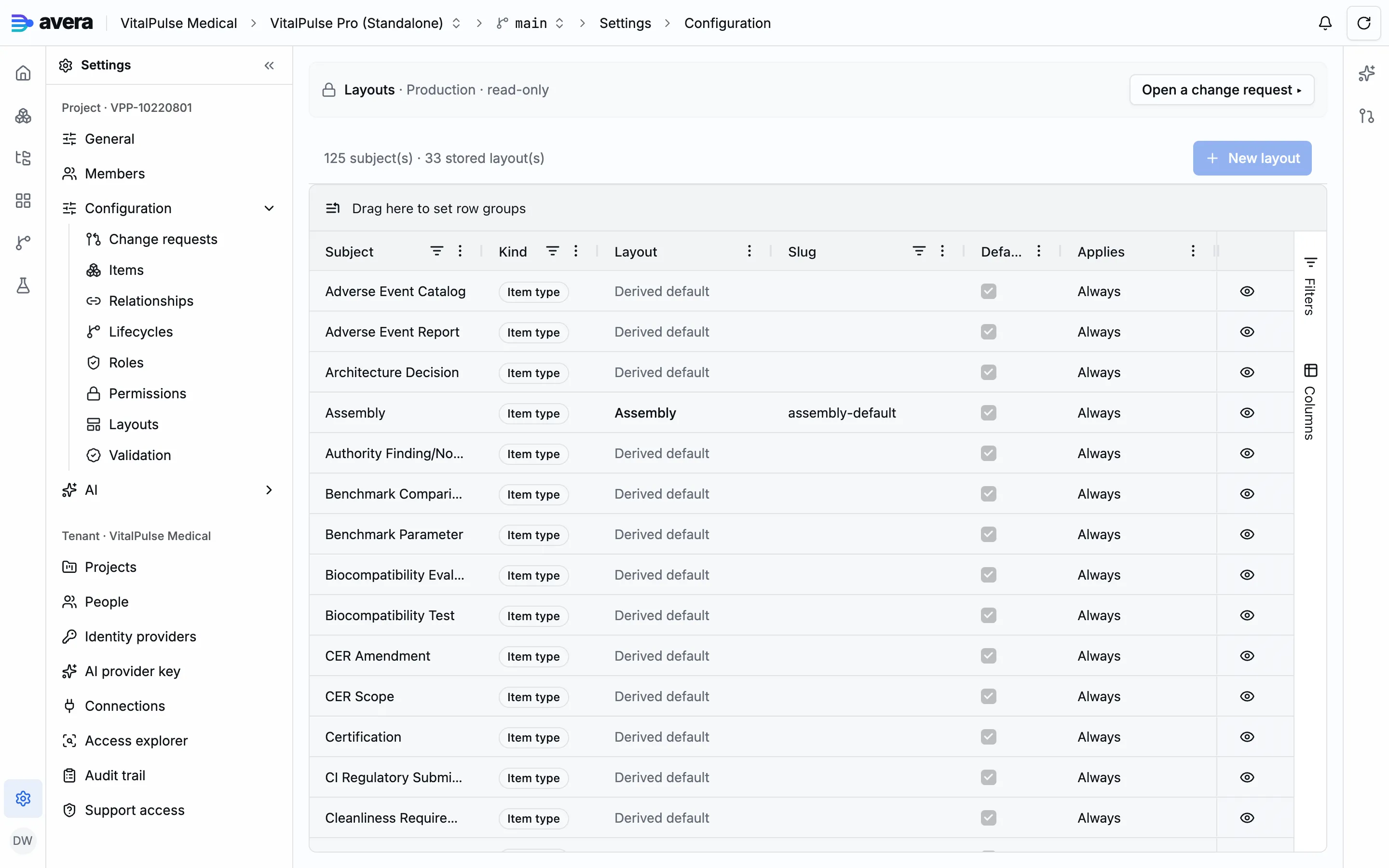
Editing happens inside a change request, where a derived row can be stored as a new layout modelled on the derived default, rendering what rendered before. Verification runs on every analysis and again at promotion, blocking on the layout’s own row: a placed attribute the subject does not carry, a slug that does not resolve, an unknown widget id, an axis without ranks.
A worked example
Section titled “A worked example”The demo project’s Assembly layout carries a Risks tab: one row per risk applying to the assembly, with the harm it can lead to and its acceptability before and after mitigation.
- Inside a change request, open Layouts and choose Edit on the Assembly row; a type still on its derived default offers New layout from the derived default instead.
- Add a tab with Add tab and name it Risks, then a Grid section titled Risks with its Placement set to that tab.
- The editor asks for hops from the page’s item: add one over relationship type Applies To, direction Upstream, reaching item type Risk.
- Add the columns: an attribute column for the failure mode; a relationship column headed Hazardous situation, over Evaluated By upstream with arity One; a lookup column headed Harm, reading the title upstream over Evaluated By to the hazardous situation and then over Can Arise In to the harm; attribute columns for the occurrence and the calculated risk before and after mitigation; and a relationship column with arity Many for the controls.
- Under The toolbar adds, declare item type Risk linked through Applies To, upstream, so a risk added from the tab arrives linked. Then Stage changes, review and promote.
The Harm column is read-only, and so are the two calculated columns.
The same layout’s Children tab is the same shape with one hop over Consists Of, downstream and recursive over an ordered type, so a sub-assembly opens into its own numbered parts.